In today's contact centers, we're witnessing a critical disconnect.
Agents – the human foundation of customer service – are trapped in a maze of poorly designed legacy systems, with bad processes, outdated interfaces and convoluted UX workflows.
This often results in high agent turnover, high cost for the business and poor customer experience.
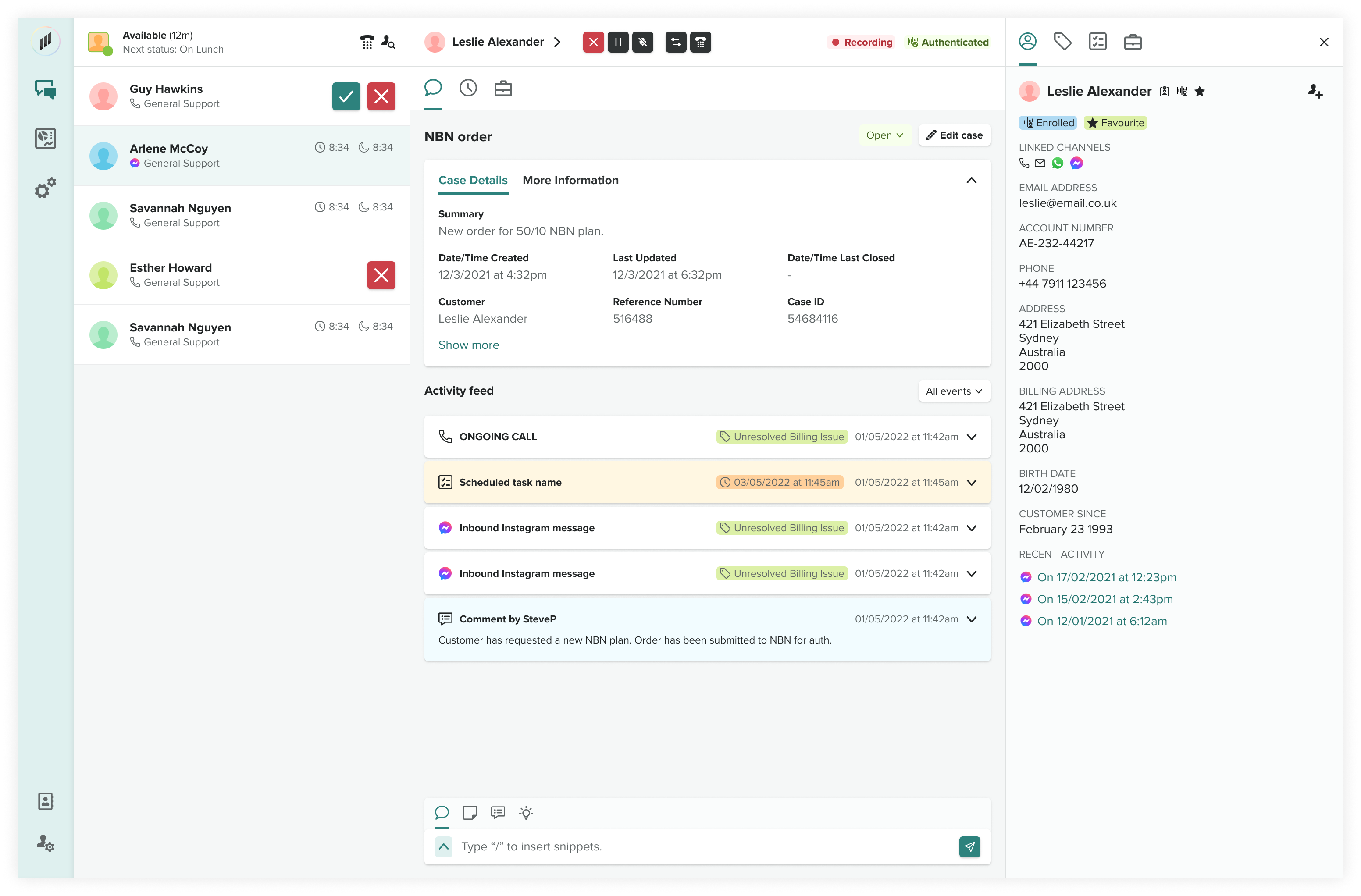
An example of the Engage agent experience.
Call Center Agents have hard jobs. They are under pressure to perform by resolving customer queries quickly, often with targets that are difficult to achieve.
As a result, agents cut corners and mistakes are made.
There is a lot of opportunity for technology to assist agents which makes their lives easier and ensures better quality reporting data for managers and supervisors.
Happy agents = happy customers.
Reduce the time spent by agents when creating conversation summary notes during and after a contact.
Every conversation matters. But for years, agents have been forced to manually create summaries after each customer interaction.
With this new solution, Smart Notes, we give agents their time back.
What used to take more then 4 minutes of painstaking documentation now happens instantly. The Smart Notes feature doesn't just record – it understands, synthesizes, and delivers rich, contextual summaries that capture the full story behind every customer interaction.
Smart Notes and Smart Resolution Codes in action.
• Agents now save 40+ minutes per shift.
• Notes are 3x more detailed and consistent with less errors.
• Team collaboration improves with crystal-clear context.
• Reduces mental load for agents.
• Significantly reduced handling time per contact per agent.
• Reduces queue time for customers, as more agents have availability.
• Workflow automation reduces agent turnover.
• Cost savings due to reduced agent training.
• More accurate data for reporting.
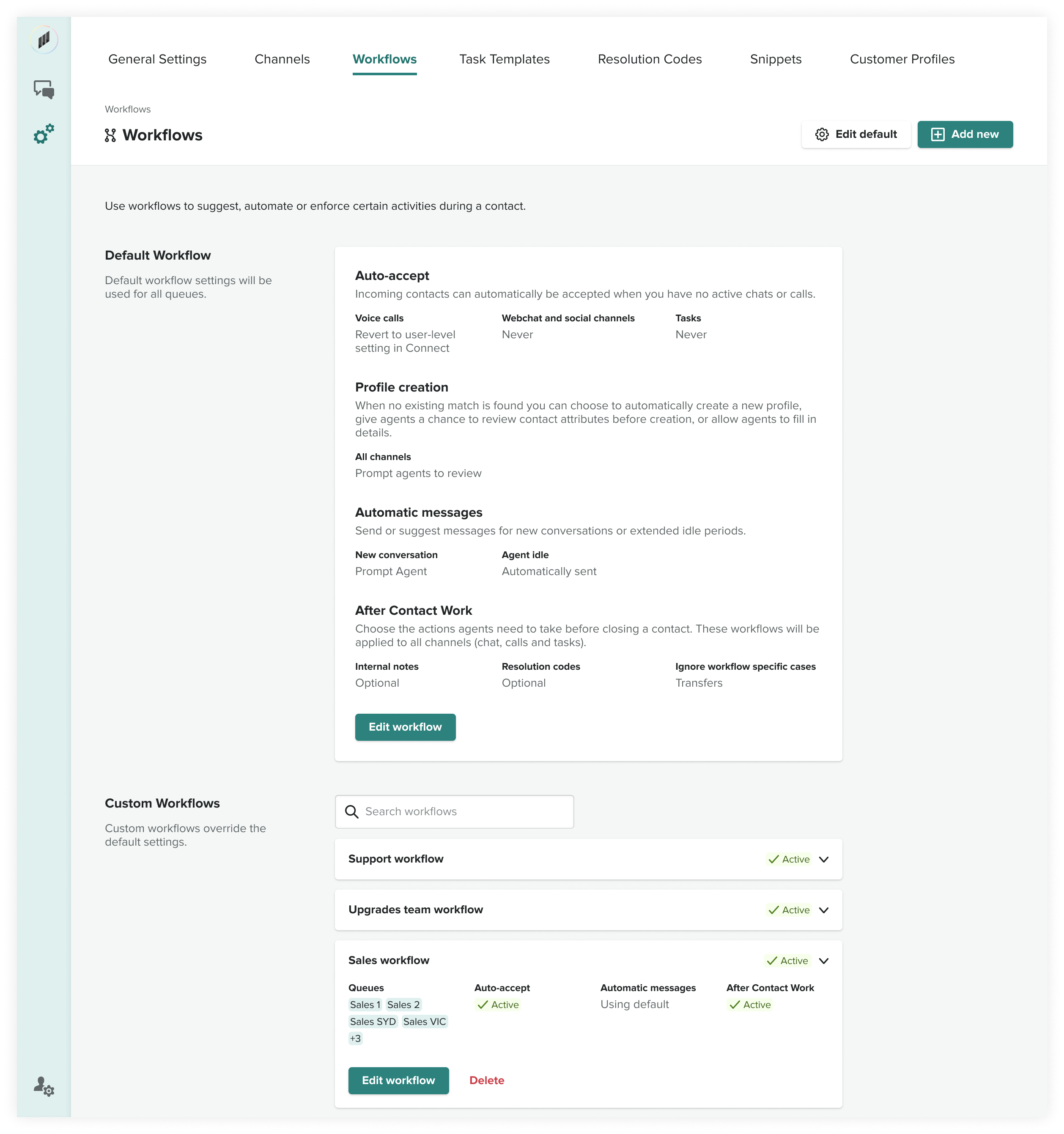
Workflows overview
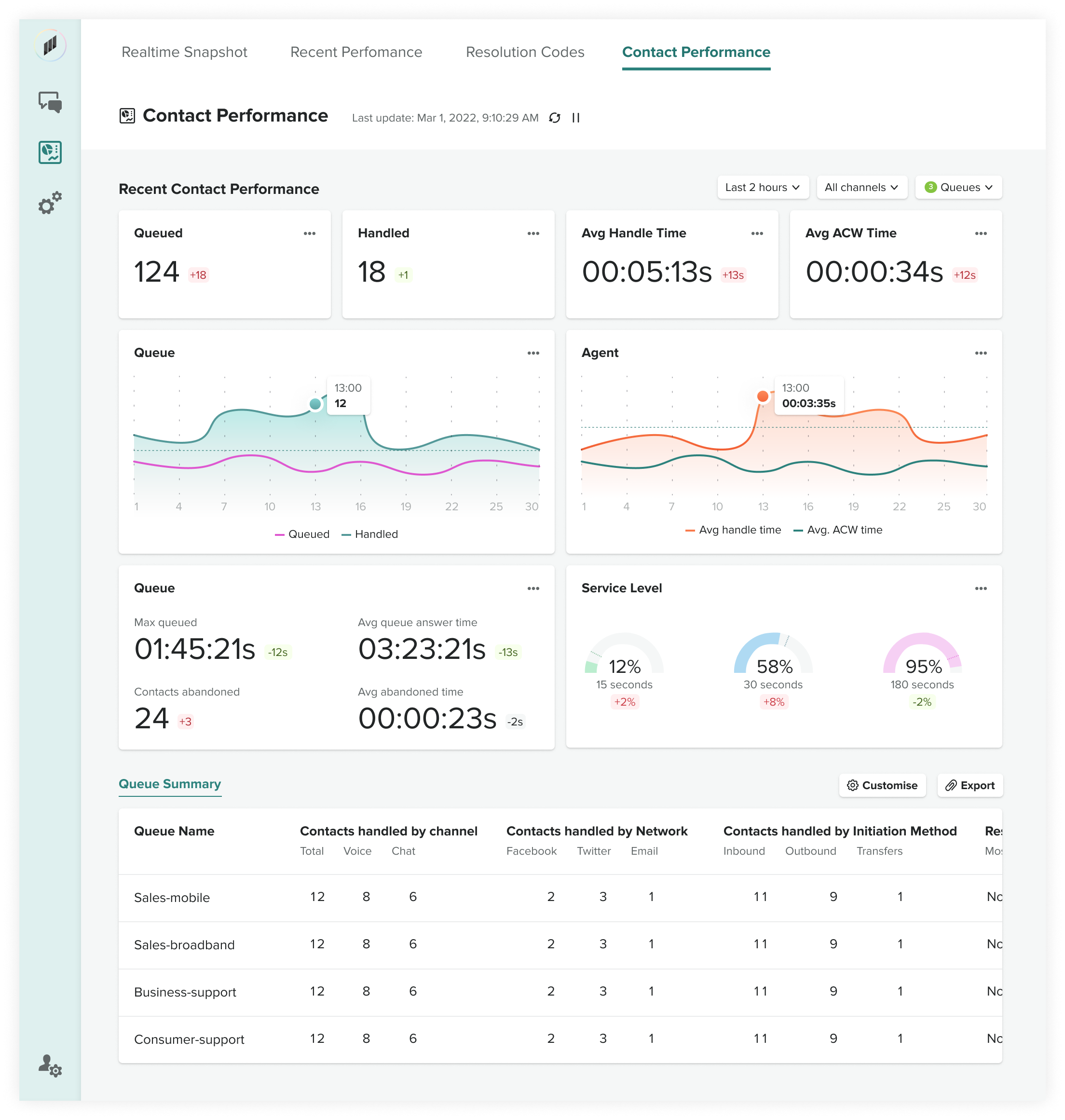
Reporting dashboards for admins and supervisors
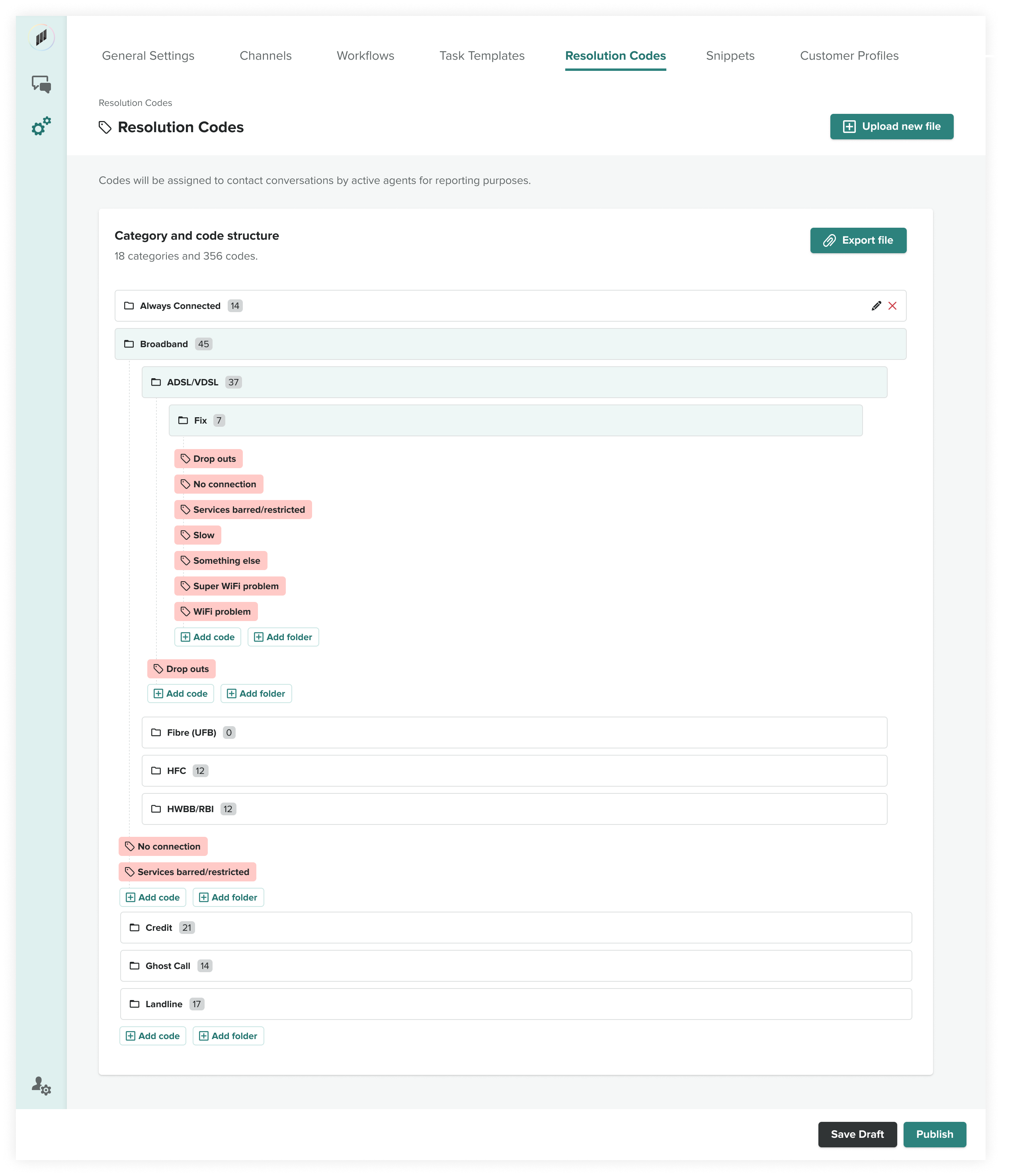
Resolution code settings screen
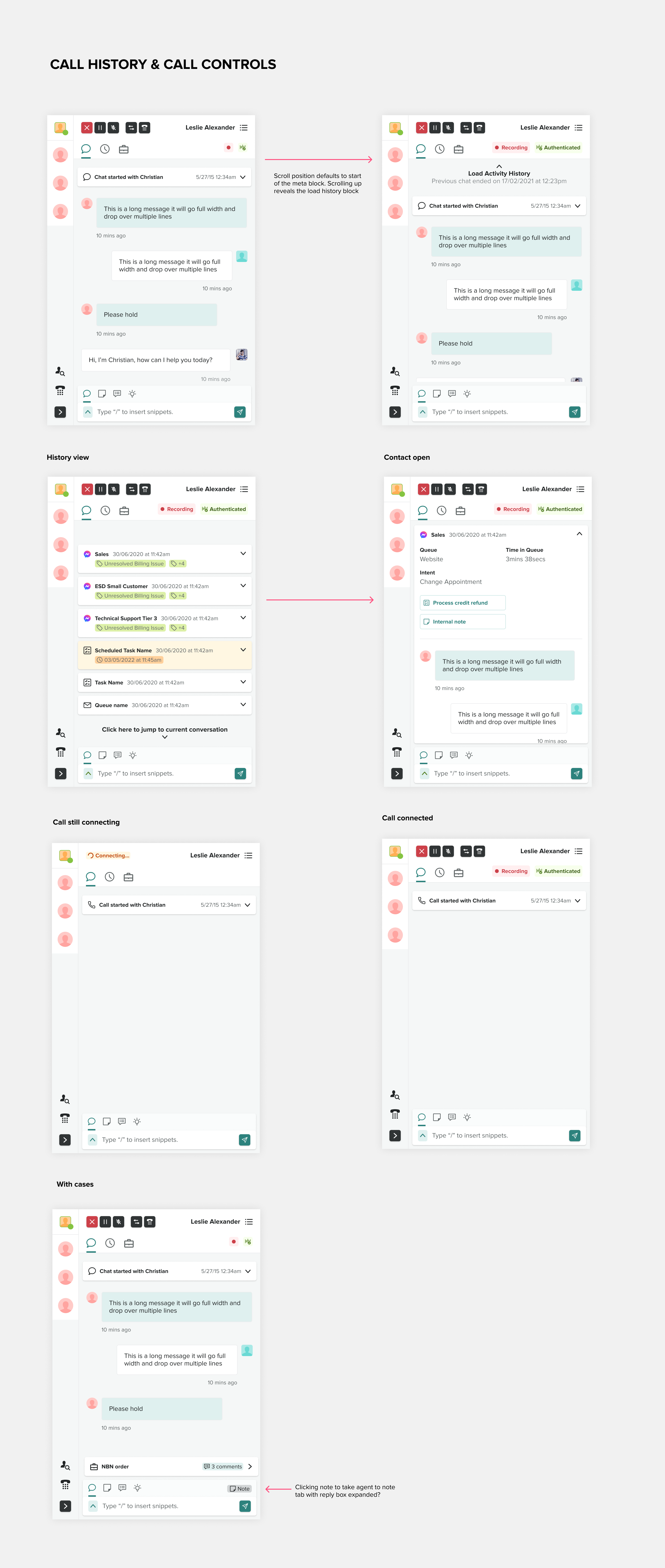
Responsive interface screens showing Salesforce integration
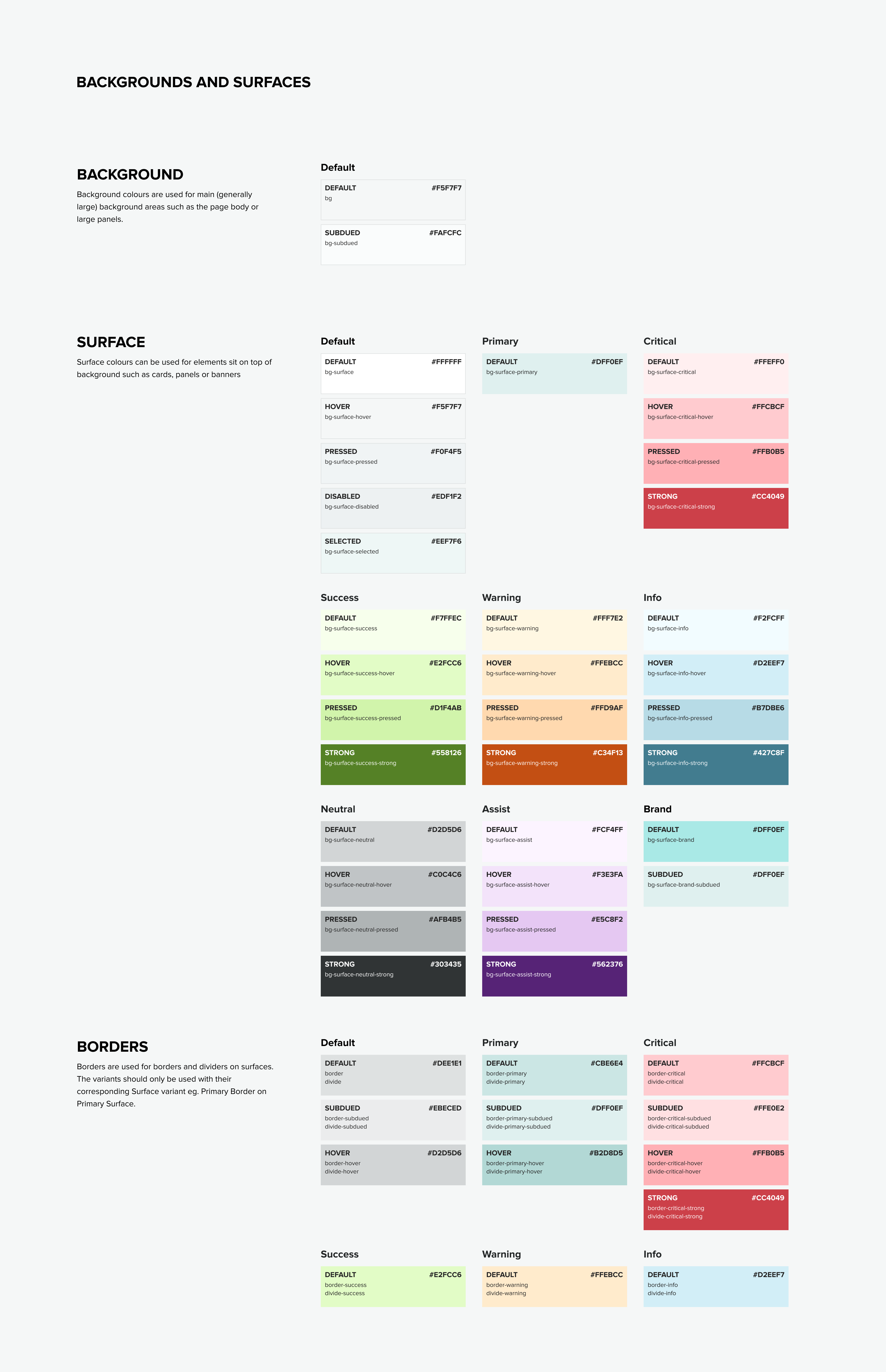
Design system sneekpeek (Figma)


